DICOM & Medical Imaging Software Independent development & support
Free DICOM viewer · Version 2.0.0
Sup-C DCMviewer
A fast, standalone DICOM media viewer for reviewing CT, MR, X-ray, mammography and other medical images. Advanced layouts, MPR, 3D volume rendering and support for DICOM reports and waveforms.
Free for personal and commercial use. No activation, dongle, subscription or internet connection required.
For image review only — not a certified diagnostic workstation or medical device. Not for diagnostic use.
Explore Sup-C DCMviewer 2.0
Sup-C DCMviewer reads DICOM Part 10 files from CD, DVD, USB drives, folders and network shares. It scans files locally and presents studies in a patient / study / series tree. Images are decoded on demand; the original DICOM files are never modified.
Flexible image review
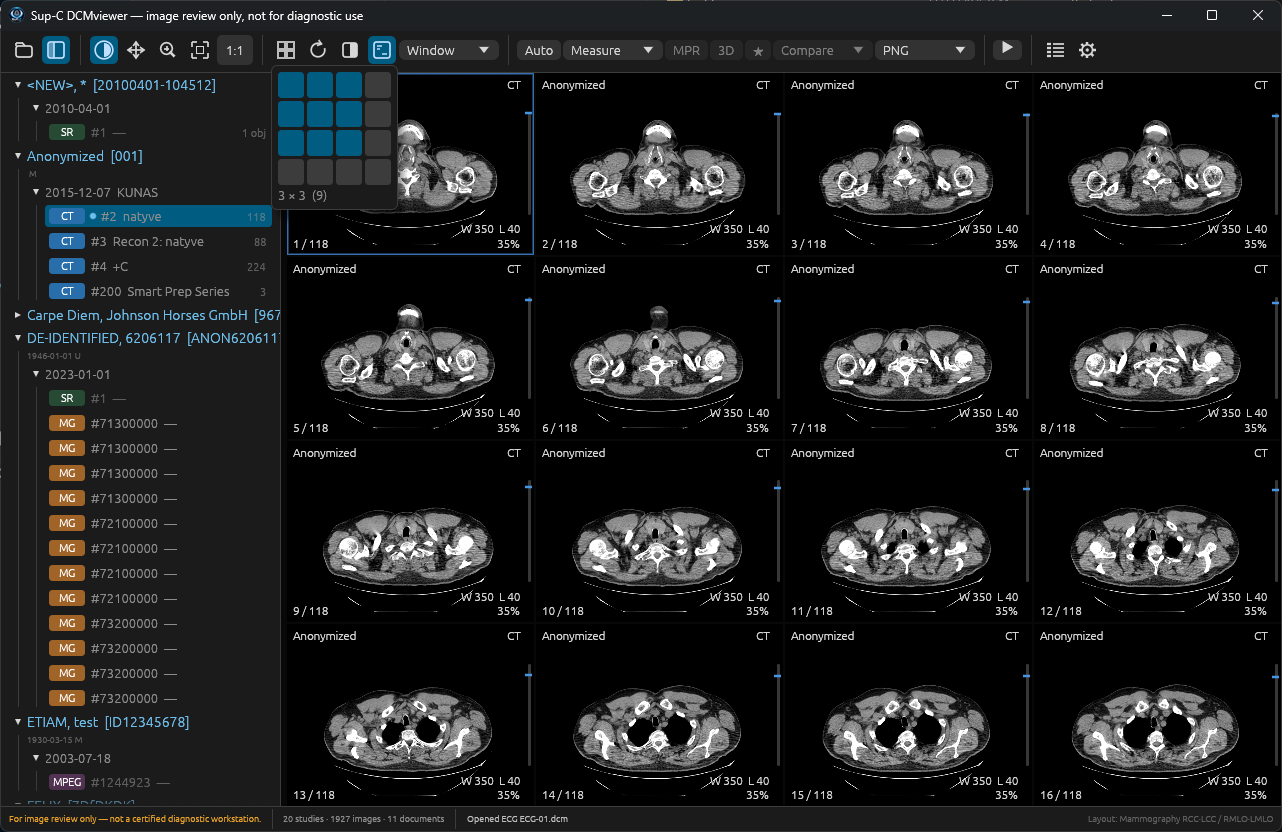
Window/level, pan, zoom, invert, cine playback, CT presets, image overlays and layouts from 1×1 to 4×4 (up to 16 viewports).
Automatic hanging protocols
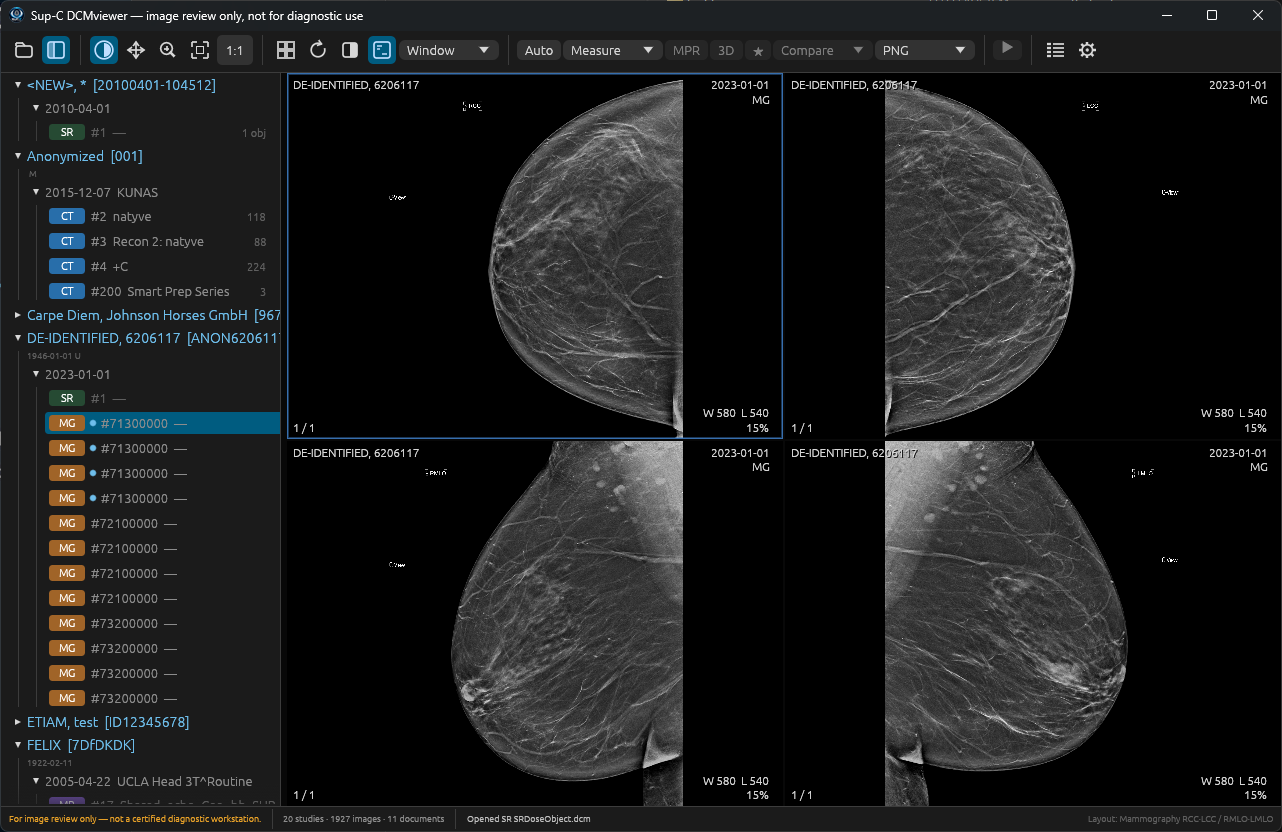
Metadata-driven arrangements for CT, MR, mammography (RCC/LCC and RMLO/LMLO), CR/DX and ultrasound, with manual layouts available.
MPR & 3D
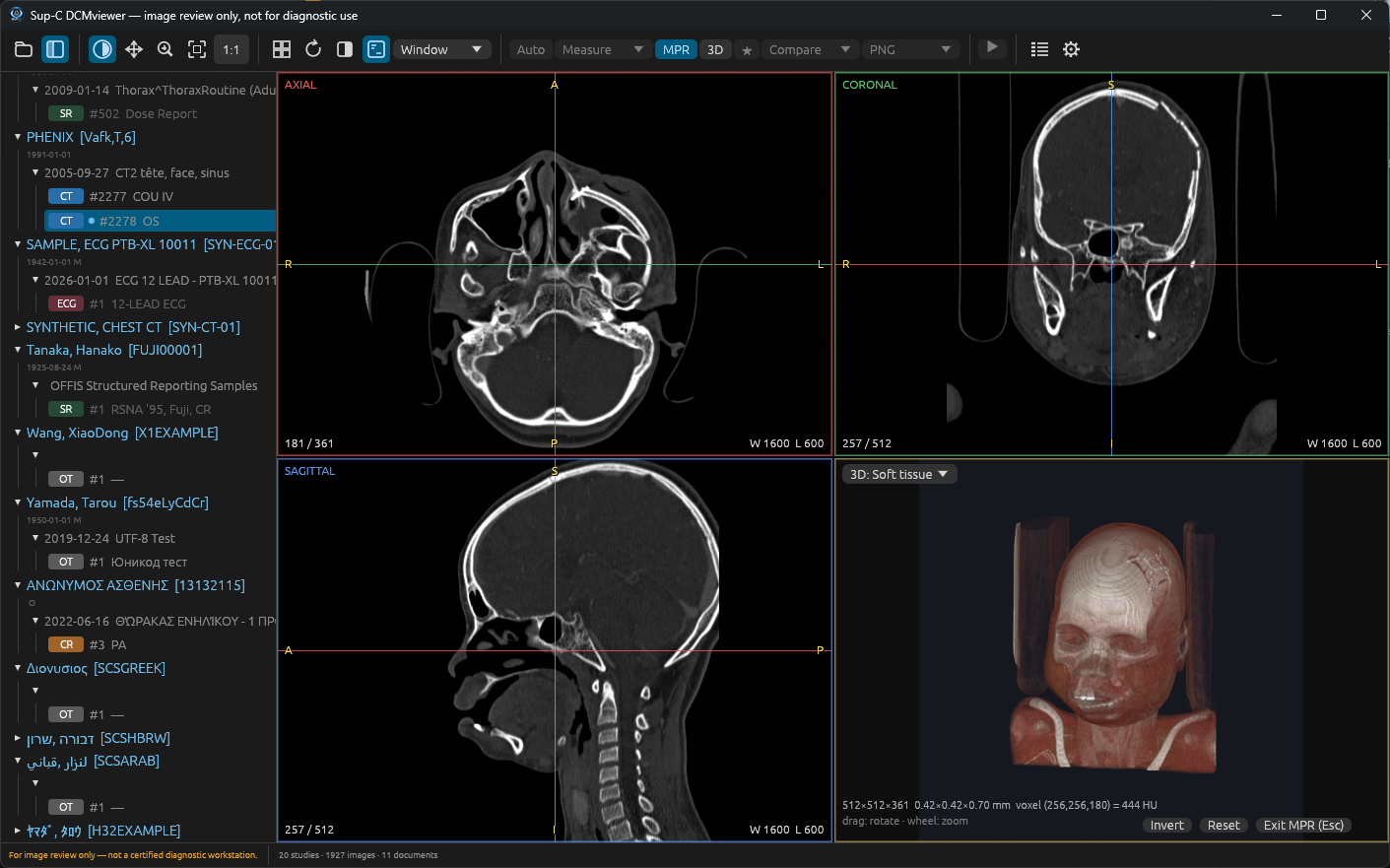
Linked axial, coronal and sagittal CT/MR reconstructions with crosshairs; CPU-based volume rendering with tissue presets, MIP and MinIP.
Measurements & comparison
Distance, angle and rectangular/elliptical ROI tools, plus study comparison, key-image navigation and PNG image/montage export.
Modern DICOM decoding
Uncompressed, JPEG, JPEG-LS, JPEG 2000 and RLE image data, with monochrome, colour, PALETTE COLOR, multiframe and enhanced objects.
More than images
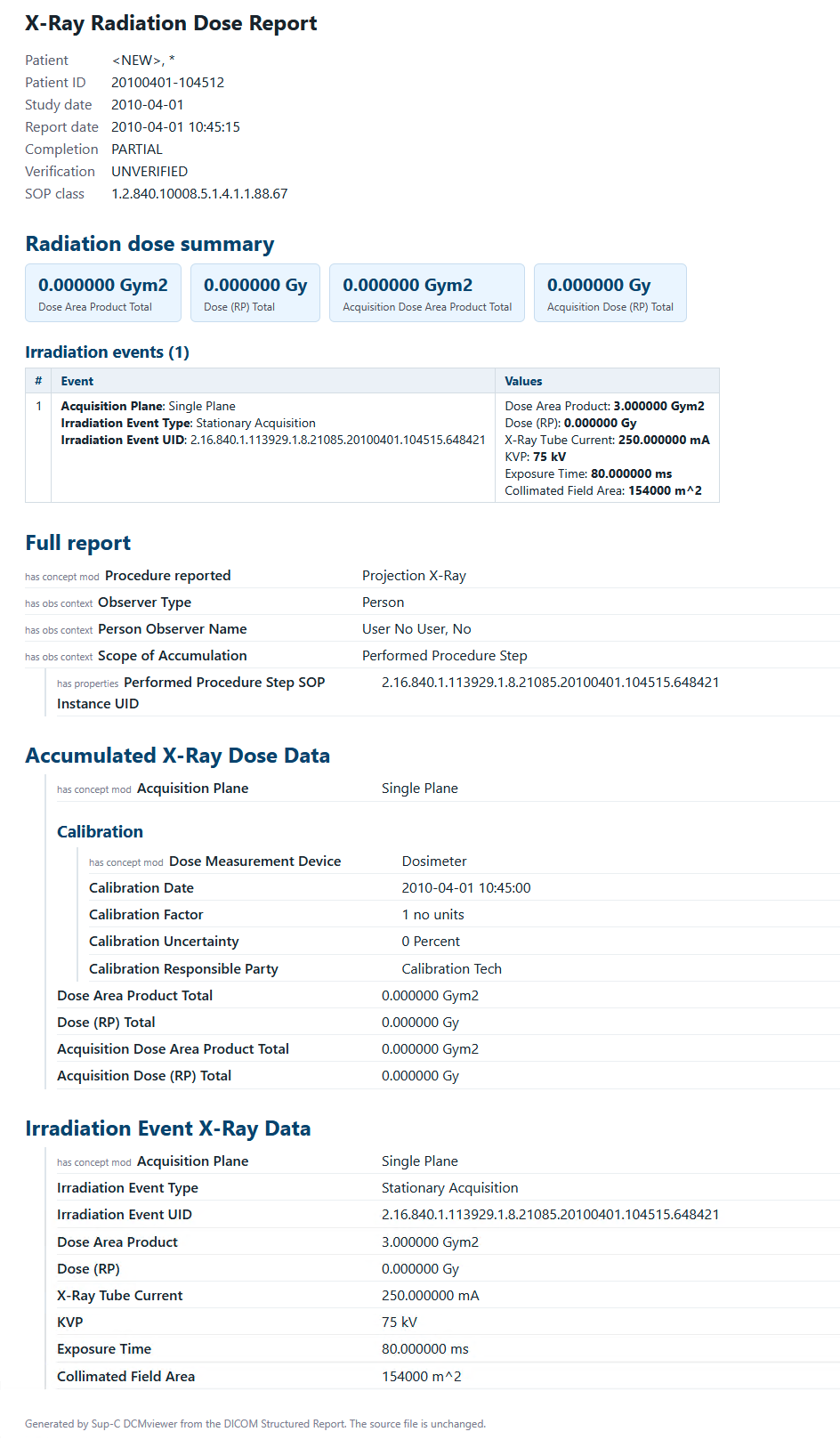
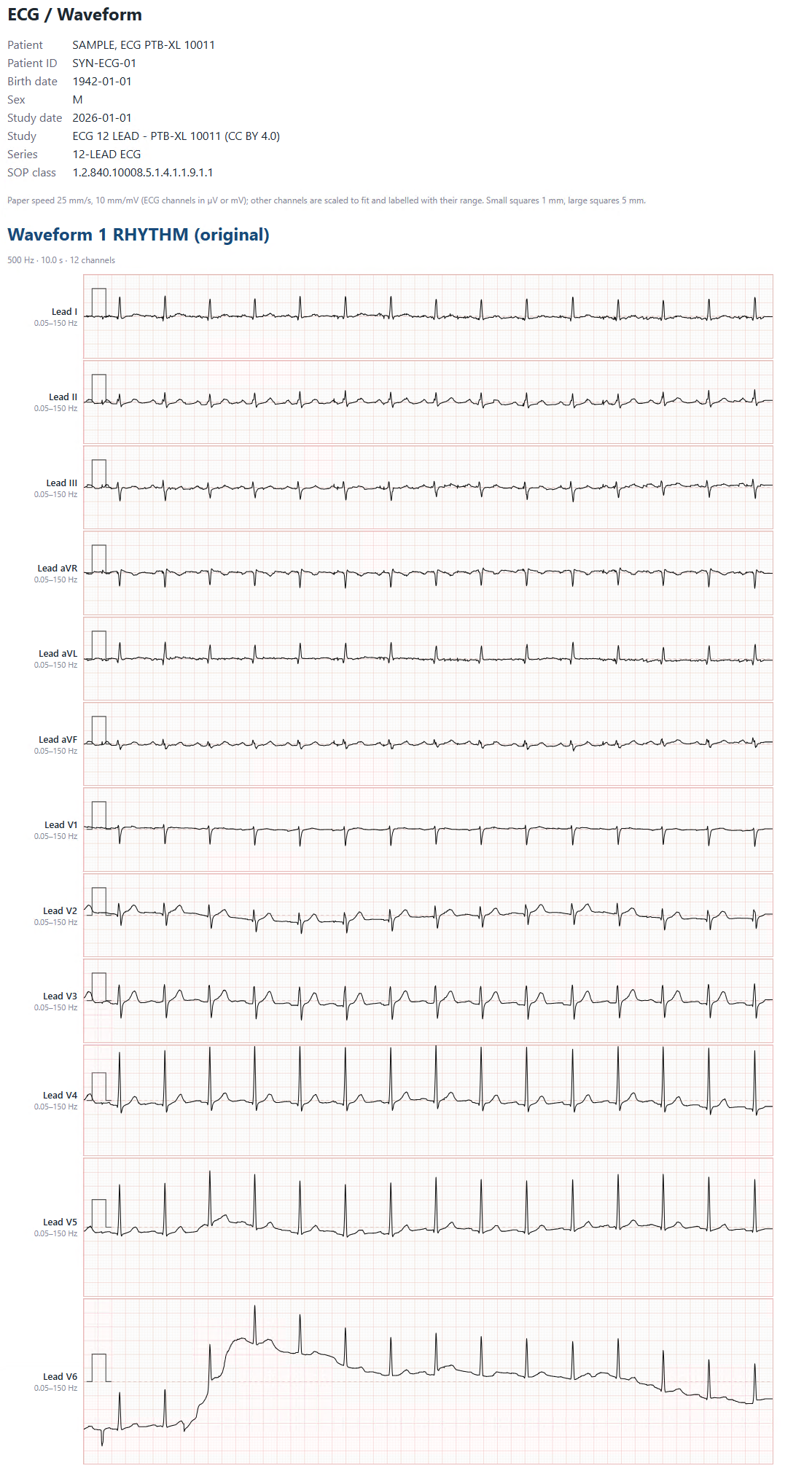
Open encapsulated PDF, DICOM Structured Reports (including radiation dose summaries), ECG/waveforms and video via your system's default applications.
See the viewer in action
Actual screenshots of Sup-C DCMviewer 2.0 and examples of reports generated from DICOM objects.
CT multiplanar reconstruction (MPR) and 3D volume renderingCT series in a 4×4 grid with synchronized scrollingAutomatic mammography hanging protocol: RCC / LCC / RMLO / LMLORadiation Dose SR converted into a readable HTML reportDICOM 12-lead ECG / waveform rendered on an ECG paper grid
Supported studies and media
Image review includes CT, enhanced CT, MR, enhanced MR, CR/DX, digital mammography, breast tomosynthesis, ultrasound, Secondary Capture and other compatible pixel-data objects. Supported compressions include JPEG Baseline/Extended 8-bit, JPEG Lossless, JPEG-LS lossless/near-lossless, JPEG 2000 and RLE Lossless. Exact support and limitations are documented in the DICOM Conformance Statement.
The application can review DICOM media without a DICOM server or network connection. It reads folders recursively rather than interpreting DICOMDIR records. MPR and 3D require regular CT/MR volumes with consistent geometry; they are not available for every study.
Download DCMviewer 2.0.0
Portable software, with no registration, activation, licence server or subscription. Please review the Help and DICOM Conformance Statement before deployment.
The documentation describes builds for Windows, macOS and Linux. Check the contents of the downloaded ZIP for the supplied platform executables. OpenGL 2.0 or newer is required.
Freeware licensing & redistribution
Free for personal, educational, professional and commercial use. Redistributing the complete, unmodified software is permitted, including on CDs, DVDs and USB drives supplied with imaging studies. Removing or altering the Sup-C name, logo, branding, licence or digital signature, or offering a rebranded version, is not permitted. The software itself must not be sold separately without written permission.
For full terms, see the LICENSE.txt included with the software and the licence view inside the application. Commercial users are welcome to mention Sup-C as supplier and explore our other DICOM software; this is an invitation, not a condition of use.
Important: Sup-C DCMviewer is provided for image review only. It is not a certified diagnostic workstation, is not a medical device, and must not be used for diagnostic purposes. Verify compatibility with exports from your own modalities or PACS before distributing media.