DICOM import & reconciliation
DCMimport 3.0
Import external imaging studies, reconcile them with local patient and order data, and send the corrected studies into the local DICOM workflow.
View features

Import external imaging studies, reconcile them with local patient and order data, and send the corrected studies into the local DICOM workflow.
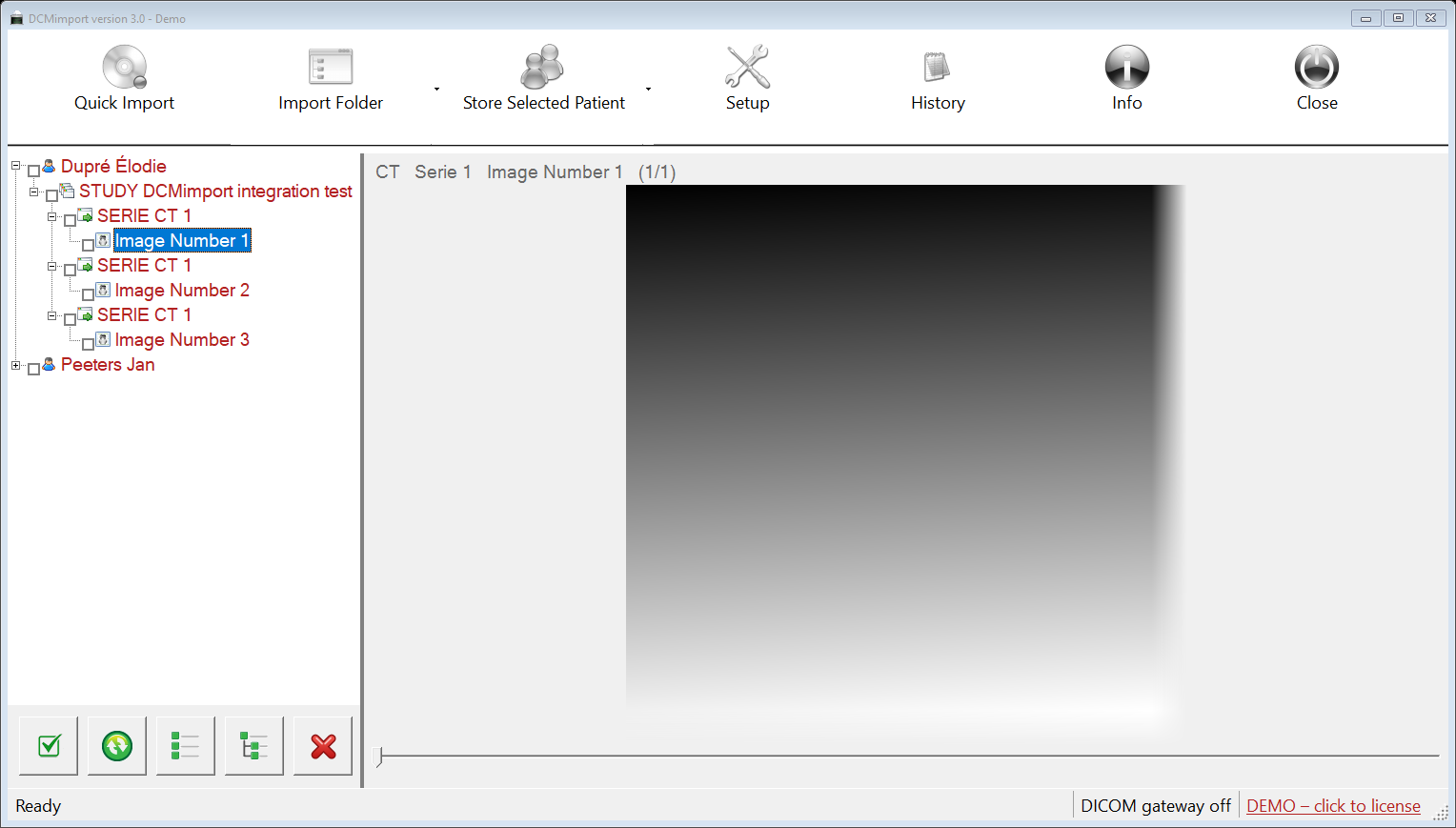
View featuresDCMimport 3.0.1 provides a controlled workflow for studies that originate outside the local organization. Studies can arrive on CD/DVD, USB, in folders or directly from another DICOM system. DCMimport works on local working copies, reconciles patient and order information with the local Modality Worklist or PACS, and sends the resulting studies to one or more configured DICOM storage servers.
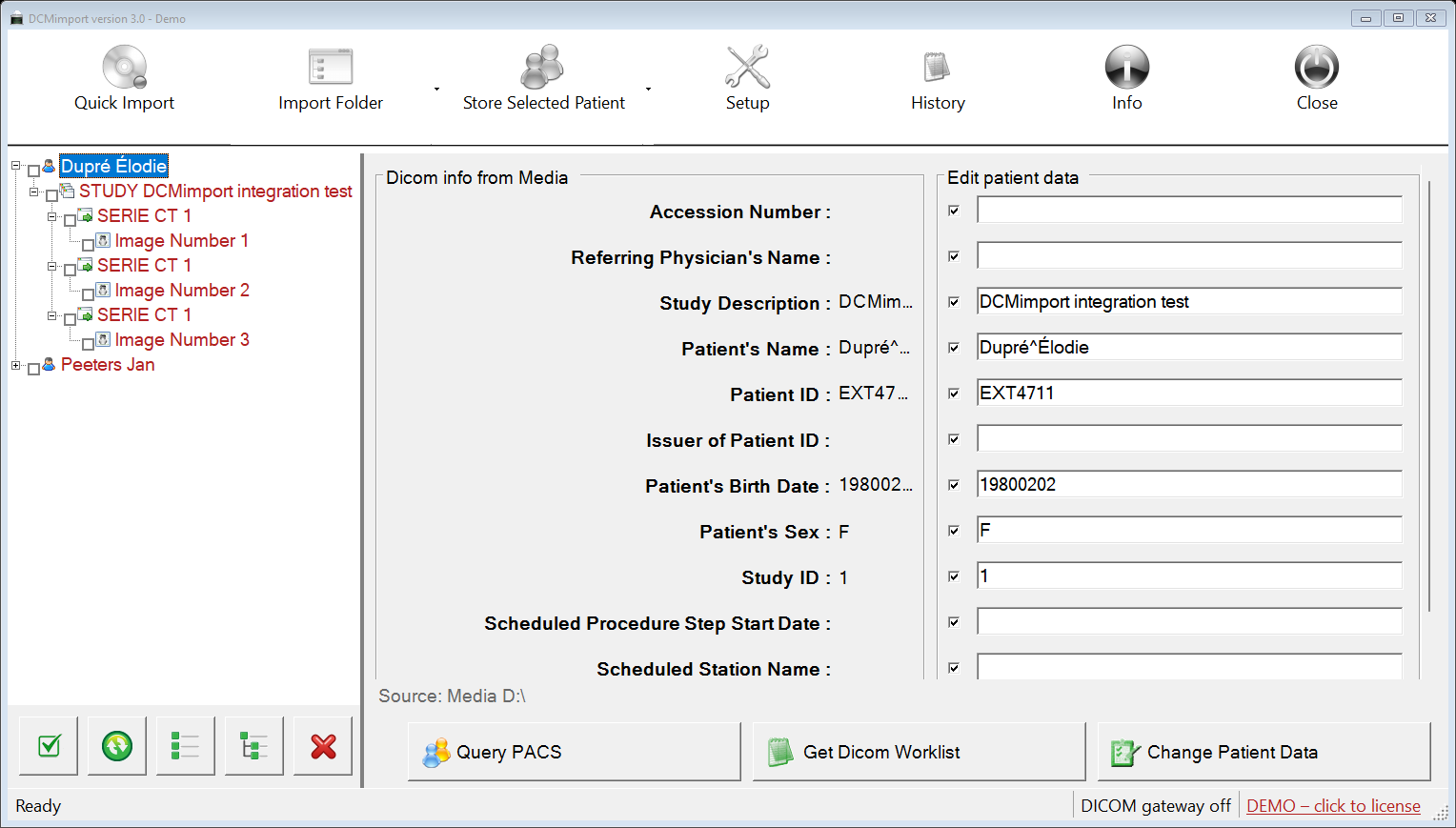
Quick Import scans the configured CD/DVD or USB device for DICOM objects without depending on a DICOMDIR. Files are copied into DCMimport's working area and the original media is never modified. Folder import adds studies without clearing the existing list.
External studies frequently contain identifiers from another institution. DCMimport keeps the original media values visible while a separate edit column contains the values that will be written. Local data can be obtained from Modality Worklist or PACS Query. Search results are ranked using matches for family name, given name, birth date and sex, and partial name or Patient ID searches are supported.
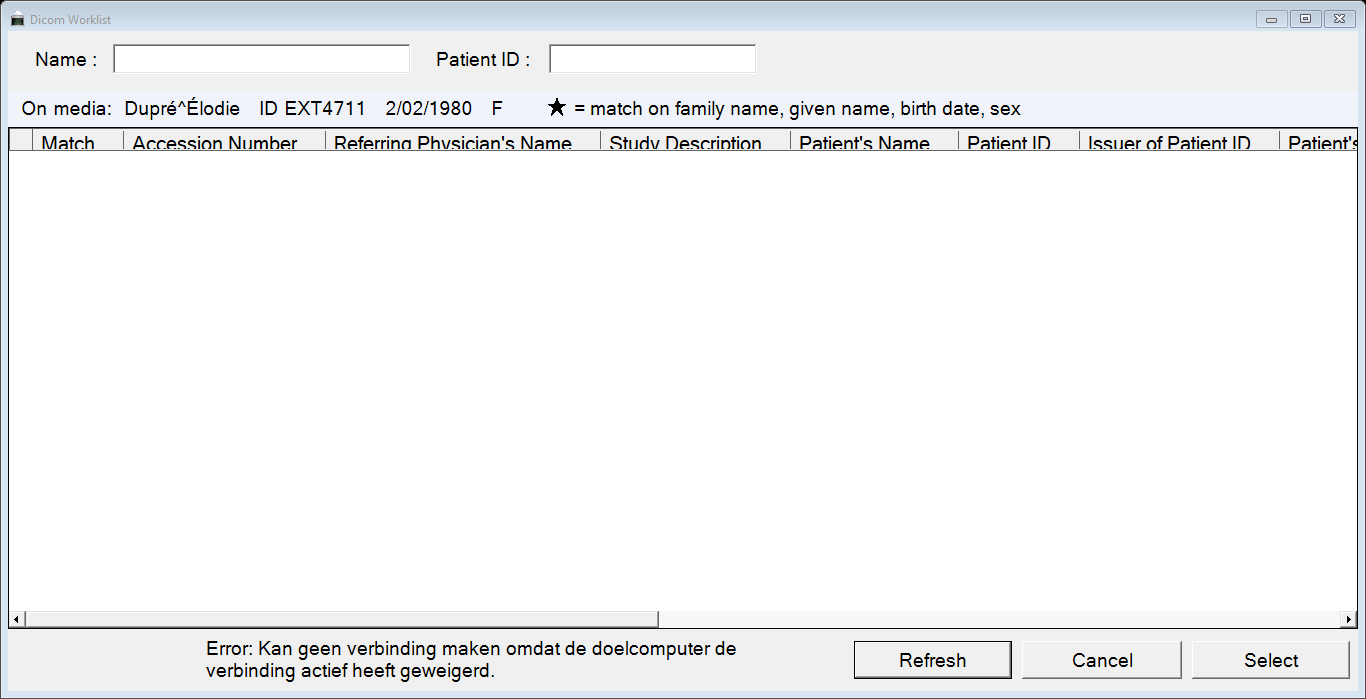
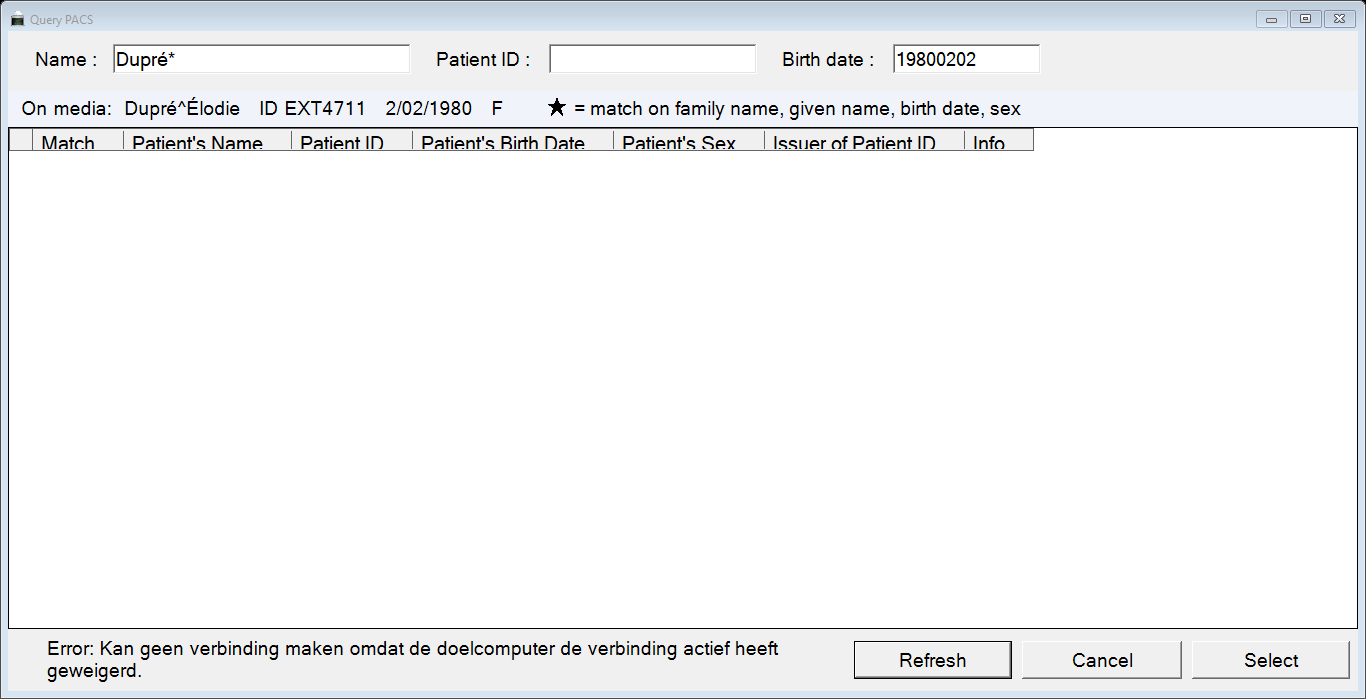
Change Patient Data modifies only DCMimport's working copies. Previous values are retained in the Original Attributes Sequence, the previous Patient ID can be preserved in Other Patient IDs Sequence, and order-related worklist values are written into Request Attributes Sequence. SOP, Series and Study Instance UIDs are never changed.
Folder import can convert JPEG, BMP, PNG and TIFF files into DICOM Secondary Capture objects. Supported MP4/H.264 and MPEG-2 files can be imported as DICOM Video Photographic Image Storage objects without re-encoding the video stream. FFmpeg tools are configured separately for video inspection.
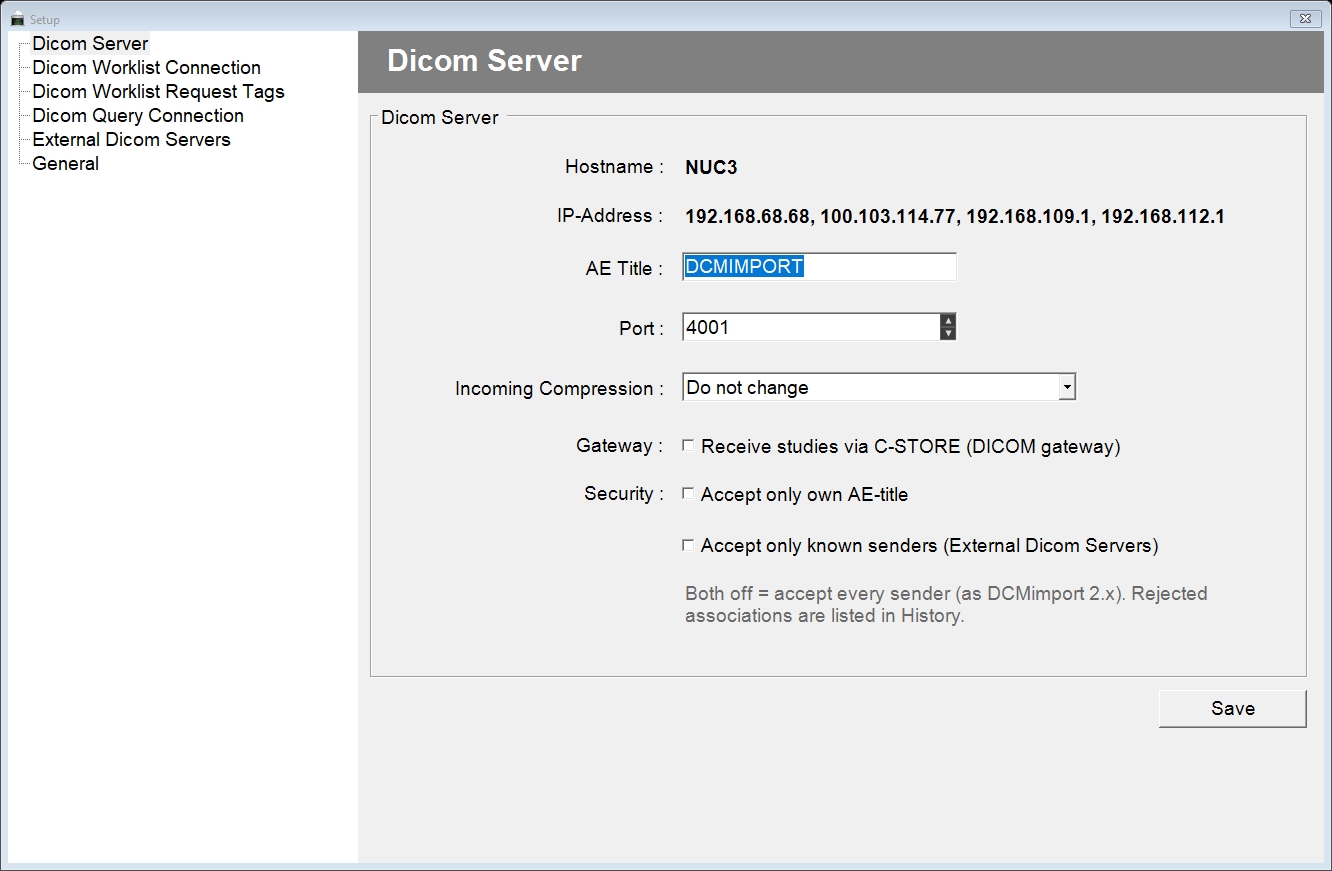
DCMimport can receive studies directly from modalities, viewing stations or other DICOM systems. The gateway provides C-ECHO and C-STORE, can keep the incoming transfer syntax or convert supported pixel data to uncompressed or JPEG Lossless, and can restrict associations to DCMimport's own AE Title and/or known senders.
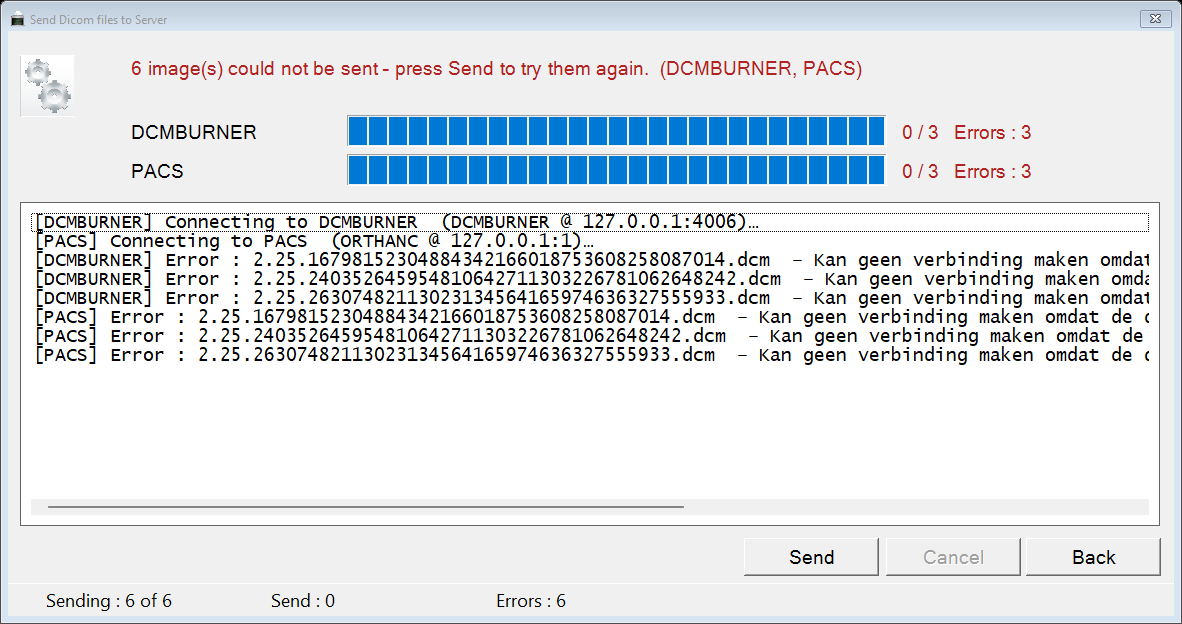
Selected objects can be sent to all configured DICOM destinations or to one selected server. Several servers can be handled in parallel. DCMimport stores the result for every image and destination, leaves failed items selected and can resend only what failed to the affected server.
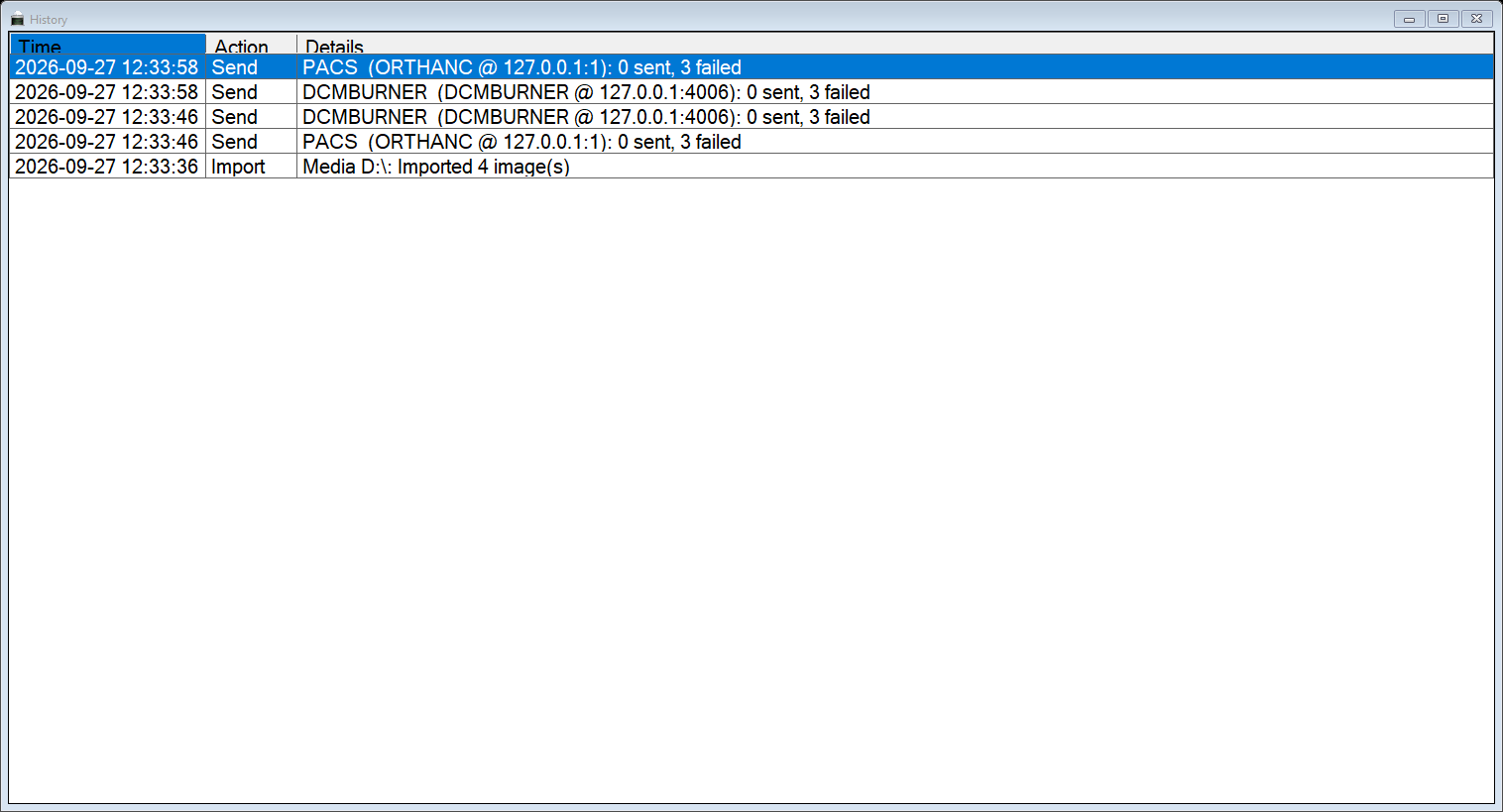
History records imports, duplicate handling, reconciliation, sends, removals, gateway rejections, licensing and setup changes. Because History can contain patient names and IDs, screenshots and exports must be treated as confidential patient data.
DCMimport 3.0 is 64-bit software for Windows 10 version 1809 or later, Windows 11 and Windows Server 2019 or later. The standard setup includes the required .NET runtime. Administrator rights are required for installation; normal operation is designed for a standard Windows user. The setup and principal binaries are digitally signed by Cleys, Patrick (Sup-C).
The user manual covers installation, licensing, configuration, reconciliation, sending, gateway operation, history and troubleshooting. The DICOM Conformance Statement documents SCU/SCP roles, SOP Classes, association behaviour, transfer handling, character sets and reconciliation coercion.
Download DCMimport 3.0.1 User Manual DICOM Conformance
DICOM from CD/DVD, USB, folders and the built-in gateway, plus supported still-image and video formats.
No. Reconciliation is applied only to working copies.
Yes. Both are supported for finding local patient and order information.
No. It is for recognition and navigation only.